AI Presentation Maker — Create Slides in a Minute | Fibonacci AI
Fibonacci AI
EN·RU
Try it
10,000+ users a month

Create presentations online with AI

Type a topic — get a ready deck in a minute.

Two free presentations when you sign up — no card required.
Presentation topic
The Economy of Ancient Rome
Generate
Fibonacci AI presentation example — title slide
Fibonacci AI presentation example — slide with text and an image
Fibonacci AI presentation example — slide with a list of sections
8 slides ready
PowerPoint·PDF·Telegram·15+ languages

Type a topic.
We handle the rest

9 out of 10 presentations here are made exactly this way — just from a topic.

The Economy of Ancient Rome
one line — that's it

1 · Type a topic

One line: "The Economy of Ancient Rome".
Fibonacci AI presentation example — light theme Fibonacci AI presentation example — selected theme Fibonacci AI presentation example — dark theme

2 · Pick a design

Fonts, colors and layout adjust automatically.
Fibonacci AI presentation example — assembled slide Fibonacci AI presentation example — assembled slide Fibonacci AI presentation example — assembled slide
slide 5 / 8

3 · AI builds the slides

Sections, key points, headings and relevant images.

PPTX PDF

4 · Download and present

The file is ready to submit or show on a projector.

Tricky topic or need specific material — upload your own text as docx, pdf or txt. The AI condenses it into slides instead of just chopping it into pieces.

Features
🎯

GENERATION FROM A TOPIC

Just a phrasing is enough — the service decides which blocks to build the story from.

Fibonacci AI — title slide
📄

FROM TEXT AND DOCUMENTS

Got an essay, article or report? Upload docx, pdf or txt — get slides based on its content.

Fibonacci AI — slide from a document
🌍

MORE THAN 15 LANGUAGES

English, Russian, Kazakh, Uzbek, Chinese, Spanish, French, German and more.

Fibonacci AI — multilingual slide
🧩

AUTOMATIC STRUCTURE

Intro, main sections, conclusions — no "12 slides in a row with identical bullet lists".

Fibonacci AI — slide with structure
🖼️

IMAGE SELECTION

Each section gets images that fit the meaning, not random stock photos on a white background.

Fibonacci AI — slide with an image
✏️

EDIT RIGHT ON THE SITE

Change texts, headings and order — nothing is "locked in".

Fibonacci AI — editing a slide

Editor
in the browser

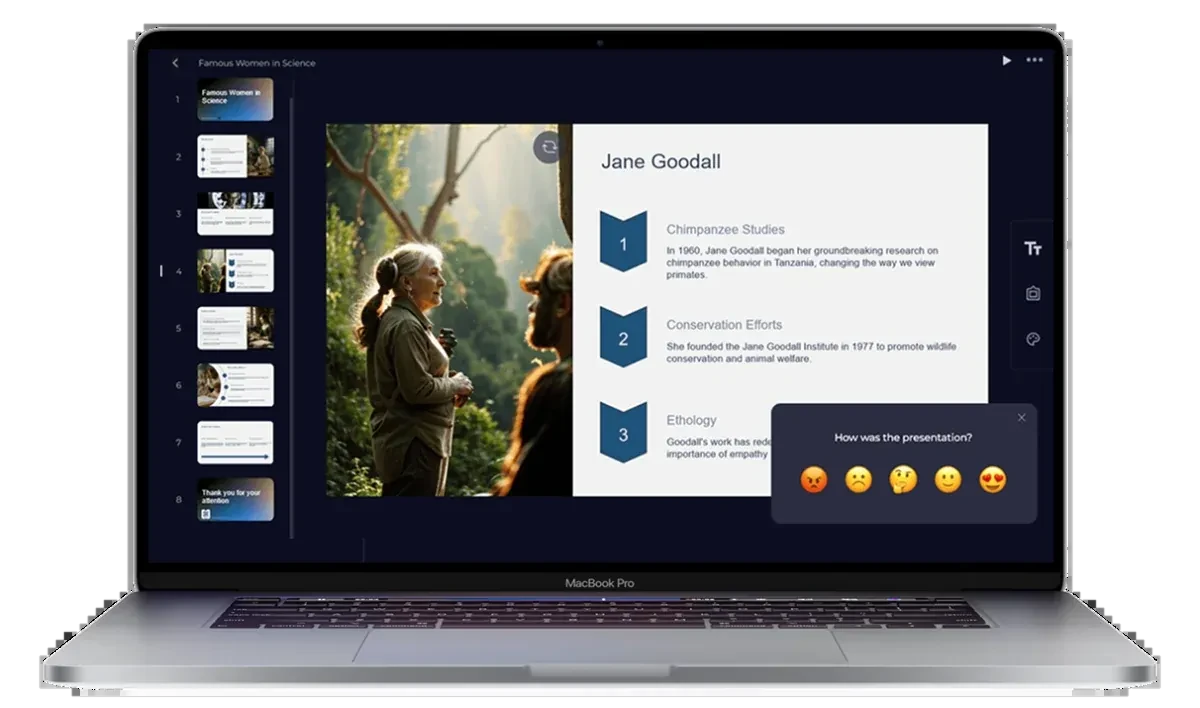
Slides on the left, content on the right. Change the text, swap an image — download again.

Fibonacci AI presentation example — Famous Women in Science in the online editor
PPTX PDF

PowerPoint and PDF.
No watermarks

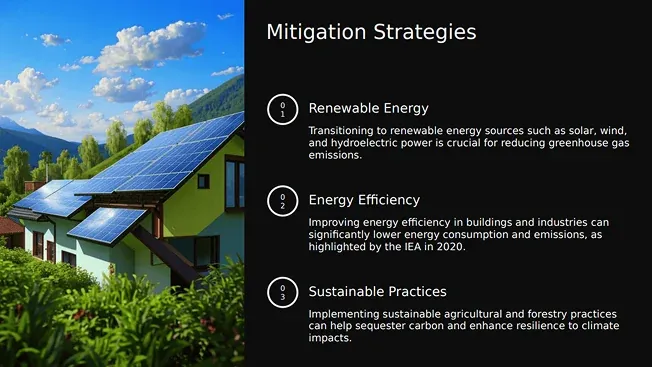
.pptx — add a slide, change a heading, insert your own charts. Opens in Microsoft PowerPoint, Google Slides and Keynote.

PDF — send, print or submit: the layout stays intact on any computer.

Fibonacci AI presentation example — Mitigation Strategies slide in PowerPoint

Also works
in Telegram

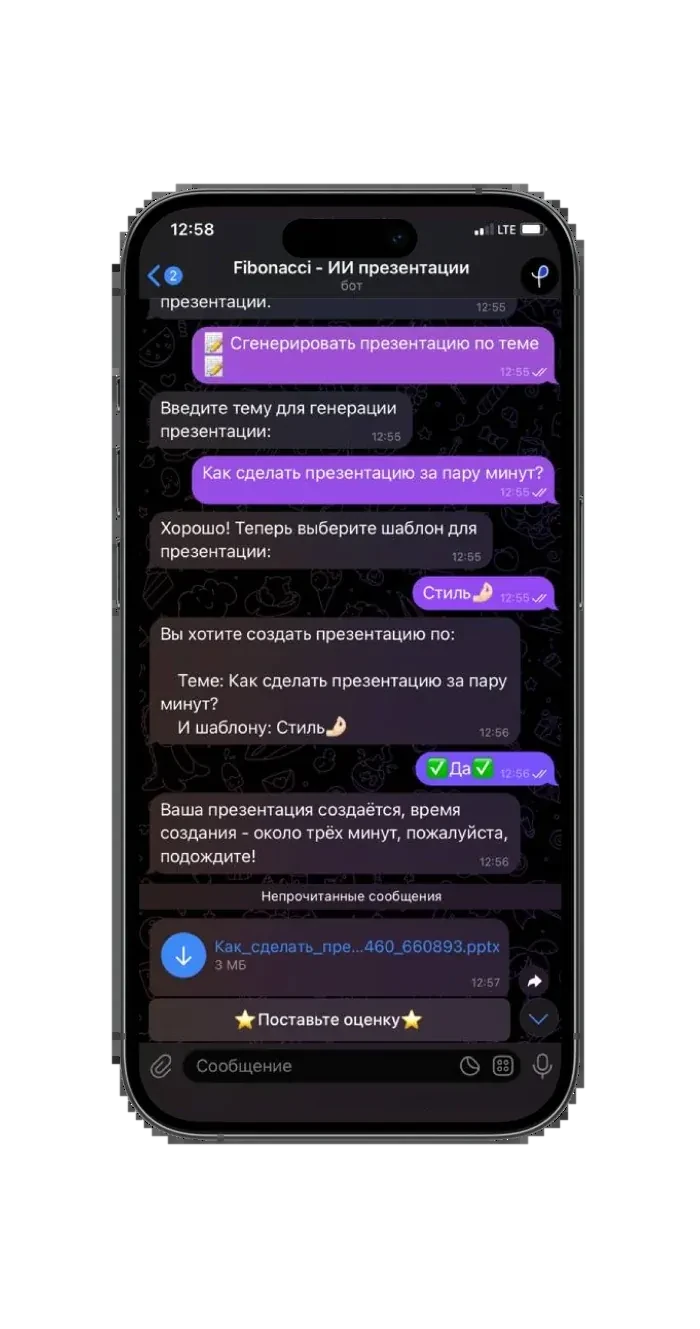
Send a topic — get a ready file in the chat. Handy when you're away from your computer.

Right in the chat A ready file in three minutes No computer needed
Create in Telegram
PPTX ✓ Fibonacci AI presentation example — generating in the Telegram bot

Who it's for

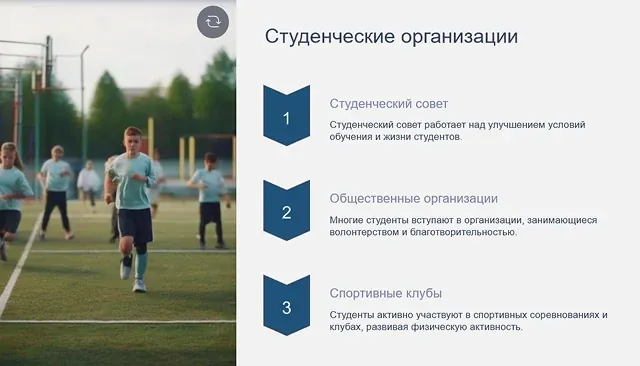
Fibonacci AI presentation example — Student Organizations

Students

A seminar tomorrow and the topic assigned today — a familiar story. Type a topic or upload an essay and get a structure you'll be glad to present.

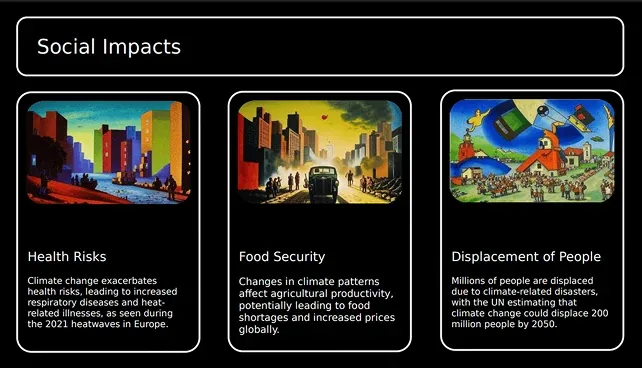
Fibonacci AI presentation example — Social Impacts

Pupils

A biology project, a history report, an end-of-term presentation — without forty minutes of dragging boxes around in PowerPoint.

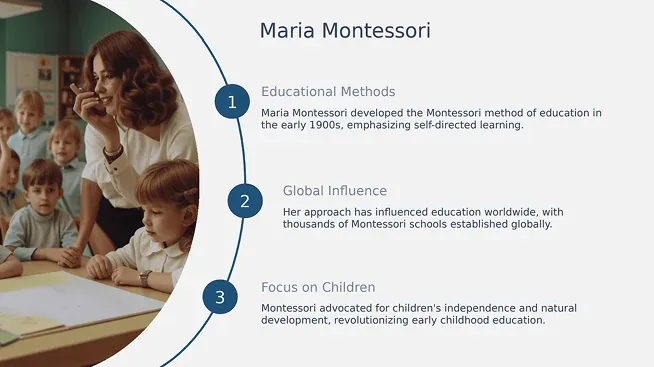
Fibonacci AI presentation example — Maria Montessori

Teachers

A lecture, teaching material, a topic breakdown for a new cohort. Upload your notes — get slides for the class.

Pricing

You can start for free. Payments are processed securely by Paddle.

BEGINNER

Free

  • 2 presentations total
  • From a topic only
  • Perfect to try the service
$1.99

LITE · 7 days

  • 5 presentations
  • From a topic and from text
  • No watermarks
Most popular $4.99

TOP · 30 days

  • 15 presentations
  • From a topic and from text
  • No watermarks
Choose
Best value $18.99

PROFI · 180 days

  • 100 presentations
  • From a topic and from text
  • No watermarks

Refer a friend — get more presentations. For every friend who signs up through your referral link, +1 free presentation for you and for them. The link is in your account.

Try it free

Frequently asked questions

How do I make a presentation from a topic?

Sign up, type a topic in one line, pick a design and start generation. In a minute you get ready slides with text and images. Nothing else to write.

Can I download the presentation as PowerPoint?

Yes. Two formats are available: .pptx for PowerPoint and PDF. The .pptx file opens and edits like a normal presentation — in Microsoft PowerPoint, Google Slides and Keynote.

Is it free?

Your first two presentations after signing up are free. After that there are paid plans starting at $1.99, plus a 14-day money-back guarantee. And each invited friend earns you a free presentation.

How long does it take to create a presentation?

About a minute from the moment you enter the topic. Usually the longest part is deciding on the topic itself, not waiting for the result.

What languages are presentations created in?

In more than 15 languages: English, Russian, Kazakh, Uzbek, Chinese, Spanish, French, German, Japanese, Korean and more. English is fully supported — from the structure to the captions on the slides.

Can I edit the result?

Yes. After generation the slides are edited right on the site — texts, headings and order. And after downloading as .pptx you can refine the presentation in PowerPoint like any ordinary file.

Does the service work in Telegram?

Yes, you can build a presentation right in the Telegram bot: send a topic — get a ready file in the chat. Handy when you're away from your computer.

Try it now

Your first two presentations — free.

Try it free Create in Telegram
Try it free